Doing good website design can take a lot of time. In the case you have a lot of work to do, are there ways to reduce how much time you take up and still produce good website design? Here are 5 website design tips to reduce time costs.
However, be careful – overusing templates can often be noticed, since designing multiple sites with the same template can be noticed. This can upset people who want a very unique website. The best way to adjust to this is to have several templates ready to use, so you can customize the look to each website as necessary.

There are several types of code that you cannot test locally by just opening in your browser. These include code like PHP and SQL calls. To get around the need to upload your code changes before you can see and test the results, it can save time to install a local web server on your development system.
There are different options for this, including Apache and Xerver. By installing one of these servers, you can do all your website design testing locally without needing to upload it to a remote server.
To do this you can use PHP “include” functions, build nested templates in Dreamweaver, or even HTML file include methods. This way you can rest a bit by needing only to edit a single file instead of several.
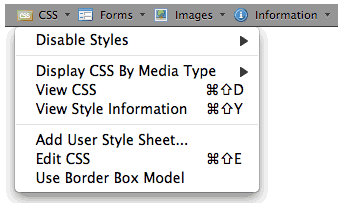
Some of the best methods of saving time can be found through using different tools to help your website design process. This can vary, depending on your specialty. If you do a lot of website design, perhaps the Firefox Web Developer toolbar plugin would help you. Or if you’re a graphic designer, try the different graphic editors available to see which one you can work most efficiently with, or which combination works best. In addition to this, talking to an expert about what tools they use can help you discover other ways to save time you may not have even known about.
Being more productive in your website design is always a good thing. Try these website design tips to increase your own productivity and grow business!
1. Website templates
One of the most commonly used time-saving methods is finding (or designing) good website templates to use to cut back on the time it can take to build a full website construction. By doing this you can have a template ready to fill with your new website’s content and images.However, be careful – overusing templates can often be noticed, since designing multiple sites with the same template can be noticed. This can upset people who want a very unique website. The best way to adjust to this is to have several templates ready to use, so you can customize the look to each website as necessary.
2. Set up a web server
There are several types of code that you cannot test locally by just opening in your browser. These include code like PHP and SQL calls. To get around the need to upload your code changes before you can see and test the results, it can save time to install a local web server on your development system.
There are different options for this, including Apache and Xerver. By installing one of these servers, you can do all your website design testing locally without needing to upload it to a remote server.
3. Keep a library with your favorite code
Any website designer has a few chunks of code they love using in almost every site they build. Getting organized and putting these pieces of code into a library you can reference will save a lot of time. You will be able to just go to your library and retrieve the code you need for that part of the site without needing to write it from scratch. And this library can be continuously updated, as well as used to share between different designers to help each be more productive.4. Use a common header (or footer) file
By having the header or footer section (or other elements) of your website pages broken into a separate file, you are able to make one single change to a file and see this change distribute across the whole site. This can save a lot of time that would otherwise be spent editing each file independently.To do this you can use PHP “include” functions, build nested templates in Dreamweaver, or even HTML file include methods. This way you can rest a bit by needing only to edit a single file instead of several.
5. Look for tools to save more time
Some of the best methods of saving time can be found through using different tools to help your website design process. This can vary, depending on your specialty. If you do a lot of website design, perhaps the Firefox Web Developer toolbar plugin would help you. Or if you’re a graphic designer, try the different graphic editors available to see which one you can work most efficiently with, or which combination works best. In addition to this, talking to an expert about what tools they use can help you discover other ways to save time you may not have even known about.
Being more productive in your website design is always a good thing. Try these website design tips to increase your own productivity and grow business!
Comments